Last updated: July 2026
Every month, thousands of people search for “FESCO bill check by CNIC” or “FESCO bill check by meter number.” The reason is always the same: the paper bill is missing, the reference number is unknown, and the CNIC or the meter outside the house feels like the only identification available.
Here is the honest answer most websites dance around: No — you cannot check your FESCO bill online using only your CNIC or your meter number. The online billing system does not offer public lookup by either of these. Any website claiming to show your bill from just a CNIC is either mistaken or misleading you.
But — and this is the part that actually helps — your CNIC and meter number are far from useless. Used through the right offline channels, both can recover your reference number within minutes, and once you have that, checking your bill online takes 30 seconds. This guide explains why the direct online method does not exist, what your CNIC and meter number are really for, and the five proven recovery routes that work every single time.
The Short Answer, Expanded
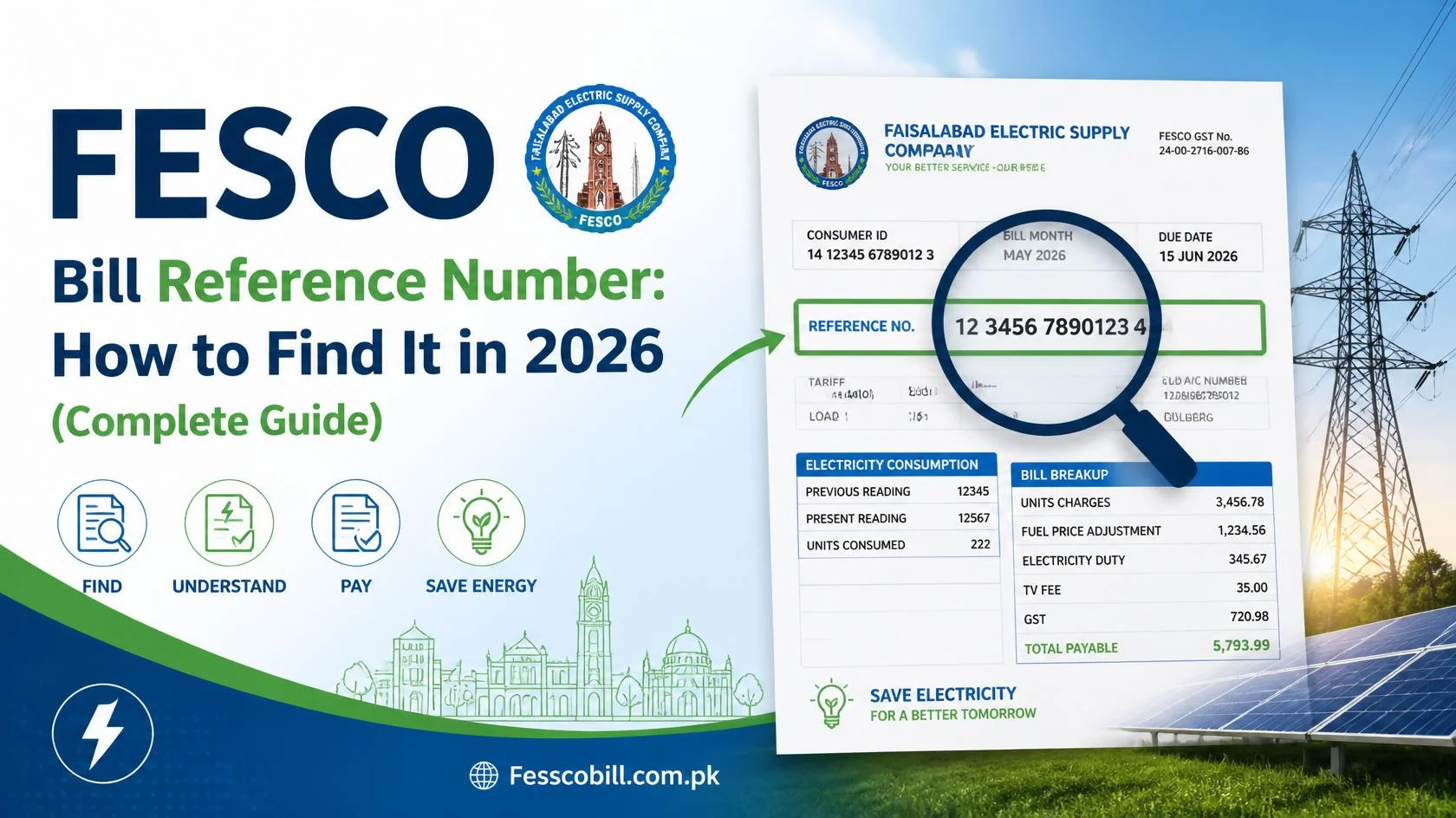
FESCO’s public bill lookup — the system behind every legitimate bill-checking website — is built on the PITC (Power Information Technology Company) billing database. That database exposes exactly two public keys for retrieving a bill:
- The 14-digit reference number, and
- The 10-digit Customer ID.
Enter either into a bill checker and the bill loads. Enter anything else — a CNIC, a meter serial, a name, a phone number — and the system has nothing to match against. It is not a limitation of any particular website; it is how the public lookup layer of the billing system is designed.
So the real task is never “check bill by CNIC.” The real task is “recover my reference number, using my CNIC as proof of identity.” Reframe it that way and the problem becomes very solvable.
Why You Can’t Check a FESCO Bill by CNIC Online
There are three solid reasons the system works this way, and understanding them will save you from wasting time on sites that promise otherwise:
1. Privacy protection. A CNIC number is semi-public information in Pakistan — employers, banks, schools, and countless forms have yours on file. If anyone could type a CNIC into a website and instantly view that person’s home address, monthly consumption pattern, and payment behavior, it would be a serious privacy and security hole. Restricting public lookup to the reference number (which only appears on the bill itself) keeps your household data reasonably private.
2. One CNIC, many connections. The database relationship is not one-to-one. A single person can have connections for a house, a shop, a tube well, and an inherited property — while millions of connections still run under the CNICs of deceased parents or previous owners who never transferred the name. A CNIC query would return a tangle of records, many outdated. The reference number, by contrast, maps to exactly one connection, always.
3. Registration lag. Name-change applications take time, and many consumers never file them at all. The CNIC data attached to older connections is frequently stale, which makes it unreliable as a lookup key even internally.
Why the Meter Number Doesn’t Work Either
The meter number feels like it should work — it is right there on the box, physically attached to your connection. But the number stamped on your meter is the manufacturer’s serial number for the hardware, not a billing identifier. FESCO’s billing account (the reference number) is created in the office when the connection is sanctioned; the physical meter is an interchangeable component of that account.
Proof of the distinction: when a faulty meter is replaced, you get a brand-new meter with a completely different serial number — yet your reference number and billing history continue unchanged. The account outlives the hardware. That is why no public bill checker can accept a meter serial: the public lookup is keyed to accounts, not devices.
Where the meter number does matter: meter-replacement requests, theft or tampering investigations, faulty-reading complaints, and physical verification when FESCO field staff visit. Keep a photo of your meter’s nameplate — it is genuinely useful for those situations, just not for bill checking.
What Your CNIC Is Actually Used For in the FESCO System
Your CNIC is the identity backbone of every account-level action, even though it cannot pull a bill online:
- New connection applications — CNIC is mandatory on the application and demand notice.
- Change of name / ownership transfer — the incoming owner’s CNIC becomes the registered identity.
- Complaint registration — the CCMS complaint portal and the 118 helpline ask for your reference number plus CNIC to verify you are connected to the account.
- Reference number recovery — the exact use case this article is about: your CNIC proves to FESCO staff that you have the right to receive the account details.
- Bill installments and due-date extensions — identity verification for financial accommodations.
In other words: reference number identifies the connection; CNIC identifies the person. The system deliberately keeps those two lookups separate in public, and joins them only through verified channels — which brings us to the methods that actually work.
5 Proven Ways to Get Your Bill Using Your CNIC (Indirect but Reliable)
Method 1: Call the FESCO Helpline — 118 or 0800-66554
The fastest official route. Dial 118 (or toll-free 0800-66554), tell the representative you have lost your reference number, and provide your CNIC, the registered name on the connection, and the complete address. Once verified, the representative retrieves your reference number from the system. Write it down permanently. Every helpline channel, including SMS and email options, is listed on our FESCO helpline page.
Works best when: the connection is registered in your own name, or you know the registered name (e.g., your father’s) and the exact address.
Method 2: Visit Your Sub-Division Office With Your CNIC
Every neighborhood falls under a FESCO sub-division office — the local office your meter reader reports to. Walk in with your original CNIC and any supporting document (property papers, rent agreement, or even an old bill from a neighbor on your street, which shares your sub-division code). Staff can trace the connection by address and hand you the reference number on the spot.
Works best when: the connection is under a deceased relative or previous owner, phone verification failed, or the address details are complicated (new plots, merged properties, rural addresses).
Method 3: Mine Your Own Digital History
Before leaving the house, spend five minutes searching:
- Phone gallery and WhatsApp for any old bill photo — the reference number never changes, so a 2022 photo works today.
- EasyPaisa / JazzCash / bank apps for past bill payments — receipts and “saved billers” store the full reference number.
- Email and SMS inbox for e-bill or bank payment confirmations.
One hit anywhere gives you the number instantly, no office visit needed. Then jump straight to the bill checker.
Method 4: Ask Your Meter Reader
Your area’s meter reader physically visits every connection monthly and can identify your account from the meter and address. Catch them during the reading window (usually the same few dates each month), show your CNIC, and ask for your reference number — most will happily read it from their route sheet.
Method 5: Use a Neighbor’s Bill to Speed Up Any Office Visit
A neighbor’s bill from the same street carries the same batch and sub-division codes — the first 7 of the 14 digits. Bringing it to the sub-division office (Method 2) lets staff jump directly to your street’s records instead of searching the whole division. It is a small trick that regularly turns a 30-minute visit into a 5-minute one.
For the complete breakdown of what the reference number’s digits mean and additional recovery angles, see our pillar guide: FESCO Bill Reference Number: How to Find It.
Once You Have the Reference Number: Check Your Bill in 30 Seconds
- Open the FESCO bill check tool.
- Enter the 14-digit reference number — no spaces, no U/R letter. (The 10-digit Customer ID works too; here is the difference between the two.)
- Click Check Bill.
- Your current bill loads with the payable amount, due date, units consumed, tax breakdown, and 12-month payment history.
- Need a copy for the bank? Print it or save the PDF using our duplicate bill guide.
Then take the two-minute insurance policy: save the number in your phone contacts, save FESCO as a biller in your wallet app, and photograph the bill’s top-left corner. You will never need this article again — which is exactly the goal.
Want Your CNIC Properly Linked? Transfer the Connection to Your Name
If the deeper problem is that the connection still runs under a previous owner’s or late relative’s name, consider filing a change of name (ownership transfer) application at your sub-division office. You will typically need your CNIC, proof of ownership (registry, allotment letter, or inheritance documents), and the latest paid bill. Once transferred, your CNIC is the verified identity on the account — making every future helpline verification, complaint, and installment request dramatically easier. Meanwhile the bill remains fully payable under the old name; a pending transfer never blocks payment or bill checking.
Warning: Fake “Check Bill by CNIC” Websites
Because so many people search for this, some low-quality websites advertise “FESCO bill check by CNIC” to capture clicks — then either show a reference-number box anyway or, worse, collect CNIC numbers through fake forms. Treat any site that asks you to submit your CNIC to “fetch” a bill as a red flag: legitimate bill data simply is not retrievable that way, so your CNIC is being harvested for nothing. A genuine bill checker needs only the reference number or Customer ID, asks for no personal registration, and shows the bill instantly. Protect your CNIC the way you protect a bank card number.
The 90-Second Helpline Call Script (Copy This)
Since the helpline is the fastest CNIC-based route, here is exactly how to run the call so it succeeds on the first attempt. Before dialing 118 or 0800-66554, place three things in front of you: your CNIC, the registered name on the connection (yours, or the relative/previous owner it still runs under), and the complete address including any landmark the bill would carry.
Then the call, step by step:
- State the request plainly: “Mujhe apna bill reference number chahiye — bill ghum ho gaya hai.” Representatives handle this request dozens of times daily; naming it directly skips the menu of misunderstandings.
- Offer the registered name first, then the address. The record search runs on the account holder’s details, not the caller’s. If the connection is under your father’s name, lead with that.
- Give the CNIC when asked — it verifies your relationship to the account. For old connections under a deceased relative, say so; representatives can still assist with matching address details, though complicated cases may be referred to the sub-division office.
- Write the number down and read it back digit by digit. A single mis-heard digit reproduces the entire problem. Confirming “one-two, three-four-five-six-seven…” takes ten seconds and eliminates it.
- Before hanging up, ask one bonus question: “Is mahine ka bill generate ho gaya hai?” — so you know whether to expect the current bill online immediately or in a few days.
Total call time in normal hours: two to four minutes. Then straight to the bill checker while the number is fresh — and into your phone contacts permanently.
Quick Reference Table: What Works and What Doesn’t
| You Have | Check Bill Online Directly? | Best Route to Your Bill |
|---|---|---|
| 14-digit Reference Number | ✅ Yes — instantly | Bill checker |
| 10-digit Customer ID | ✅ Yes — instantly | Bill checker |
| CNIC only | ❌ No | Helpline 118 / sub-division office → recover reference number |
| Meter number only | ❌ No | Meter reader / sub-division office → recover reference number |
| Name + address only | ❌ No | Sub-division office with CNIC |
| Old bill photo (any year) | ✅ Effectively yes | Read the reference number from the photo |
Frequently Asked Questions
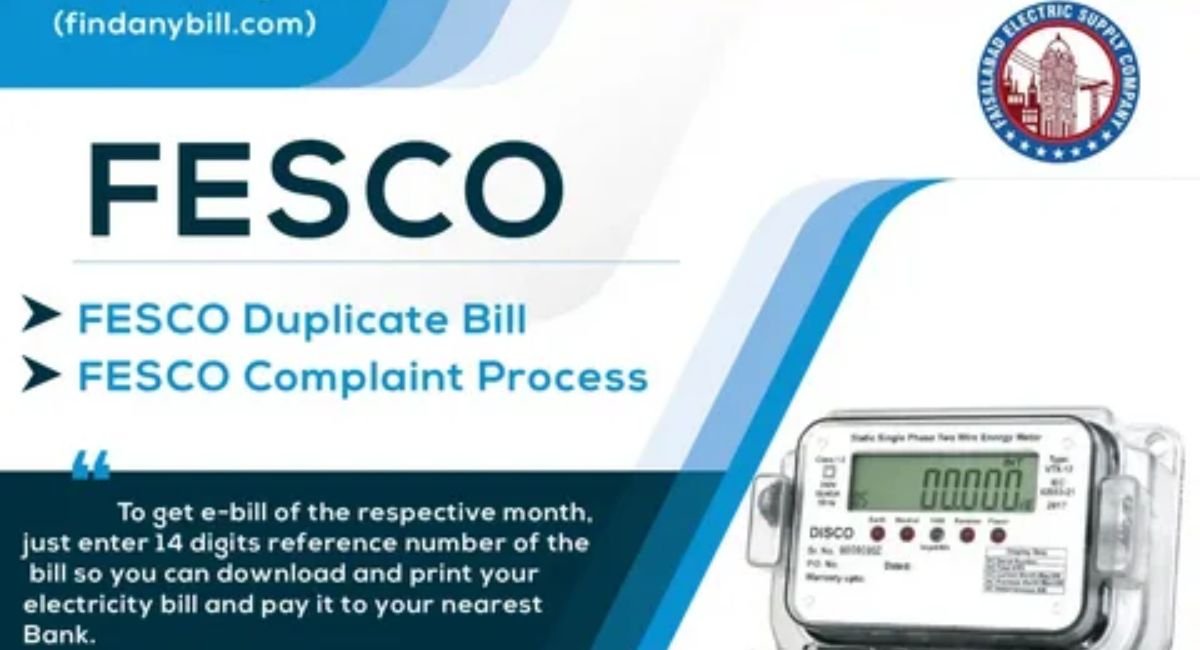
Can I check my FESCO bill online with just my CNIC number? No. The public billing lookup accepts only the 14-digit reference number or 10-digit Customer ID. Your CNIC is used offline — via the 118 helpline or a sub-division office — to verify your identity and recover the reference number.
Can I check my FESCO bill using the meter number? No. The meter number is the hardware serial of the physical meter, not a billing key. It is used for meter replacement and fault complaints, not bill retrieval.
How do I find my reference number if I never had a bill? For a new connection, the reference number appears on your first bill and on connection documents. If nothing has arrived, call 118 with your application/demand-notice details and CNIC, or visit the sub-division office. Our guide on what to do when a FESCO bill is not received covers new-connection timing too.
The connection is in my late father’s name. Can I still get the bill with my CNIC? Yes. Visit the sub-division office with your CNIC and any inheritance/ownership document. Staff can trace the connection by address and give you the reference number. You can also file a change-of-name application to transfer the account to your CNIC.
Is there a FESCO app that lets me search by CNIC? App-based bill lookups run on the same billing database and therefore also require the reference number or Customer ID. See our FESCO app guide for what the app can and cannot do.
A website says it checks FESCO bills by CNIC. Is it real? Be skeptical. The public data source does not support CNIC lookup, so such sites either redirect you to a normal reference-number search or are collecting CNIC data. Never submit your CNIC to unverified websites.
Can the helpline refuse to give me the reference number? If your identity details do not match the account (wrong registered name or address), the representative may decline for security reasons. In that case, the sub-division office with your original CNIC and property documents is the reliable path.
Once I recover the number, will it change again? No. The reference number is permanent for the connection. Save it once — in your contacts, your wallet app, and a photo — and the problem is solved for life.
Conclusion
You cannot check a FESCO bill online by CNIC or meter number — and any site claiming otherwise deserves your suspicion, not your CNIC. What you can do, quickly and reliably, is use your CNIC through official channels to recover your 14-digit reference number: a phone call to 118, a short visit to your sub-division office, or a five-minute search of your own payment apps usually does it.
Got your reference number back? Check your FESCO bill online right now — amount, due date, and full payment history in seconds, free — and save that number somewhere permanent so this is the last time you ever search for it.
Frequently Asked Questions (FAQs)
1. How can I check my FESCO electricity bill online?
You can check your FESCO electricity bill online by entering your 14-digit Reference Number or 10-digit Customer ID on a FESCO bill checker page. Your latest bill will be displayed instantly.
2. Can I check my FESCO bill using my CNIC?
No. FESCO does not allow online bill checking using a CNIC. You must use your Reference Number or Customer ID to access your bill.
3. Can I check my FESCO bill with the meter number?
No. The meter number cannot be used to retrieve your bill online. It identifies the physical meter, not your billing account.
4. Where can I find my FESCO Reference Number?
Your Reference Number is printed on every FESCO electricity bill. If you have lost your bill, you can recover the number through the FESCO helpline or your local sub-division office.
5. Can I download a FESCO duplicate bill?
Yes. After checking your bill online, you can download a duplicate bill in PDF format and print it whenever needed.
6. Is the online FESCO bill valid for payment?
Yes. The online bill contains the same details as the original printed bill and can be used for payment through banks, mobile banking apps, and other approved payment channels.
7. What should I do if my latest FESCO bill is not available online?
First, make sure you entered the correct Reference Number or Customer ID. If the bill is still unavailable, wait until the monthly billing cycle is updated or contact FESCO customer support.
8. Can I pay my FESCO electricity bill online?
Yes. Once you check your bill online, you can pay it through internet banking, mobile banking apps, digital wallets, or other authorized payment services.
9. Does the FESCO Reference Number change every month?
No. The 14-digit Reference Number remains the same for your electricity connection, so you can use it every month to check your latest bill.
10. What information can I see on my FESCO online bill?
Your online bill shows the consumer name, service address, billing month, meter readings, units consumed, electricity charges, taxes, total payable amount, and the payment due date.